
UX Usability Audit for Your Online Store
A UX audit is a comprehensive analysis of your website or online store designed to identify the factors that prevent users from making purchases or completing forms, ultimately reducing conversion rates. We evaluate navigation intuitiveness, content clarity, and the effectiveness of key website elements to uncover barriers and provide actionable recommendations for improvement. The result is a more user-friendly website, an enhanced customer experience, higher customer satisfaction, and increased sales potential for your online store.

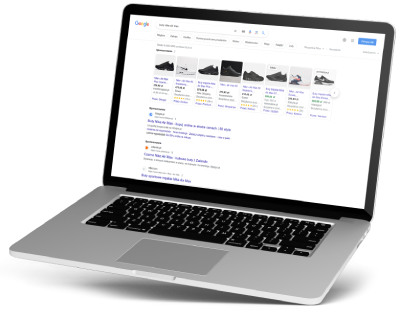
A UX audit is an effective way to improve website usability and increase conversion rates.
It’s worth conducting one if your store is facing issues such as:
- too few conversions,
- insufficient revenue,
- high customer acquisition cost (CPA),
- poor performance of paid campaigns,
- low conversion rate,
- low-quality leads,
- high advertising campaign costs,
- the website is too complicated to use or not intuitive enough,
- customers start the purchasing process but don’t complete it.
A UX audit will identify the sources of these issues and provide specific recommendations that will lead to a better user experience, more effective marketing efforts, and a real increase in sales.
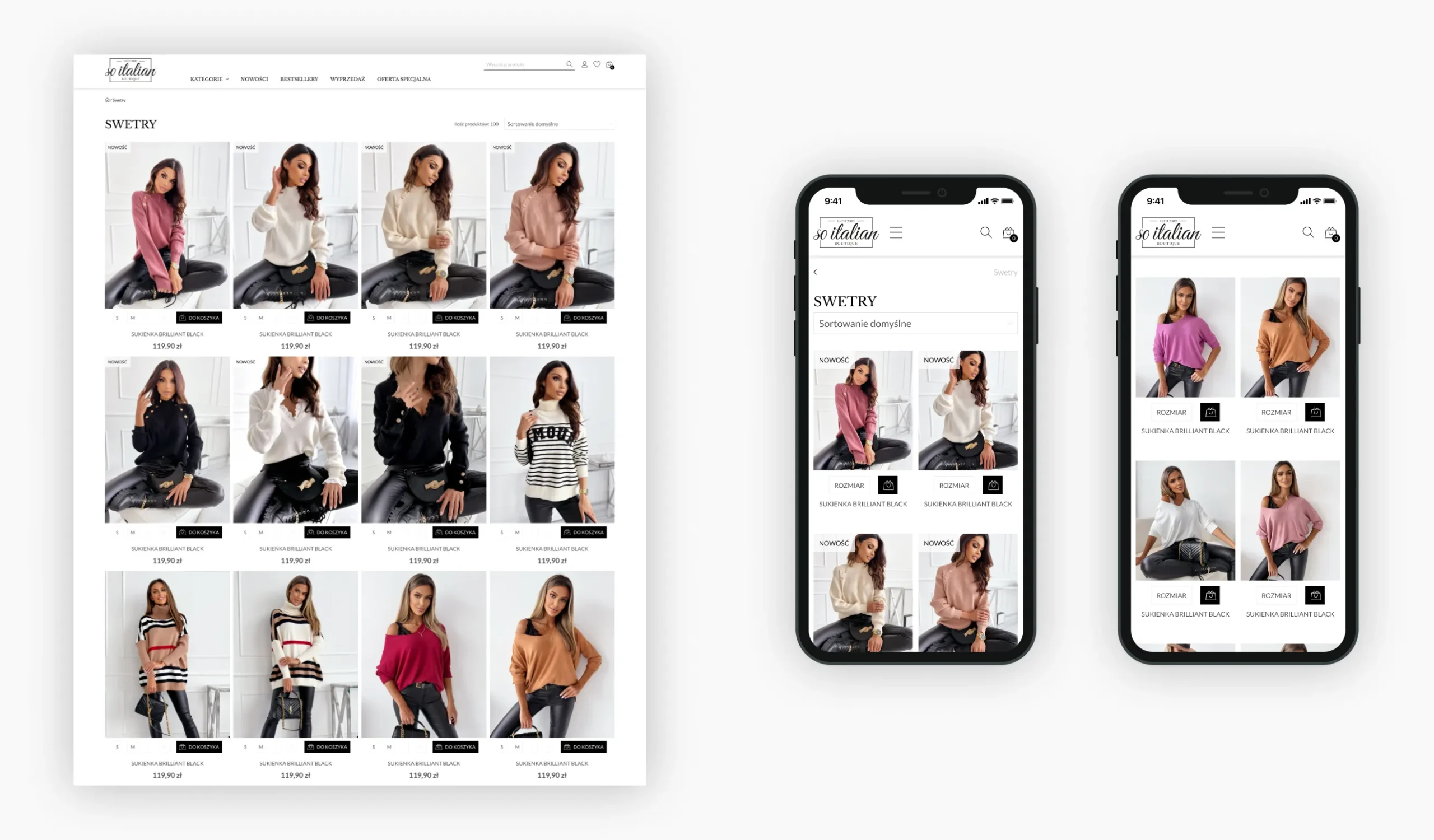
The most common UX mistakes in online stores
We optimize the purchasing process, simplify navigation, and ensure your customers feel confident and comfortable. With a clean UX design, your store not only looks more attractive but, above all, sells more effectively.
Common UX issues:
 Requiring registration and a lengthy checkout process – creating an account should be optional, and the process itself should be simple and fast.
Slow page loading – overly large image and video files that slow down the initial loading of the site.
Lack of responsiveness – a site not optimized for mobile devices lowers conversion rates and search engine rankings.
Unclear product pages – the absence of key information, such as specifications or delivery times, makes it difficult to make a purchasing decision.
Complicated navigation and category structure – users who can’t easily find products quickly leave the store.
Unclear messages and buttons – a complicated conversion path that discourages customers from making purchases.
Low-quality content – long blocks of text, lack of headings, and unclear language that makes it difficult to understand the information.
What tools are used for a UX audit?
We use various tools during a UX audit to thoroughly evaluate the user experience and identify areas for improvement.
- Usability testing software – tools such as UserTesting, Lookback, and Hotjar allow us to observe users interacting with the product and collect data on their behavior using heatmaps and eye tracking.
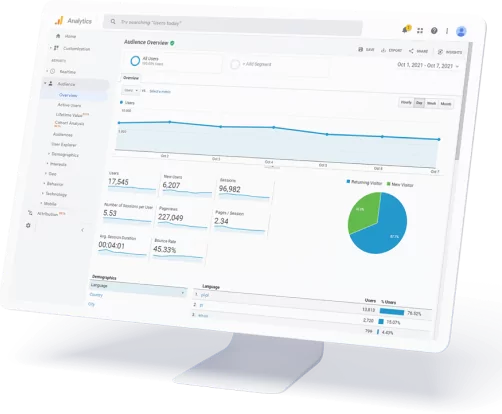
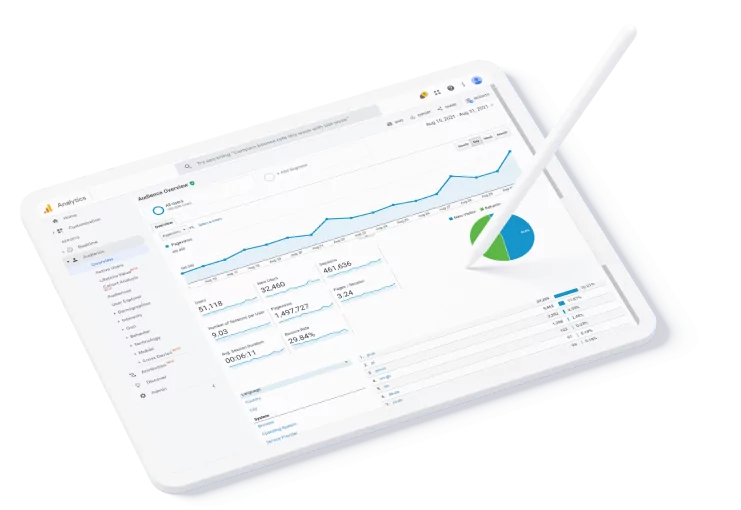
- Analytics tools – Google Analytics shows where users click, scroll, and move their mouse, which helps identify problematic areas.
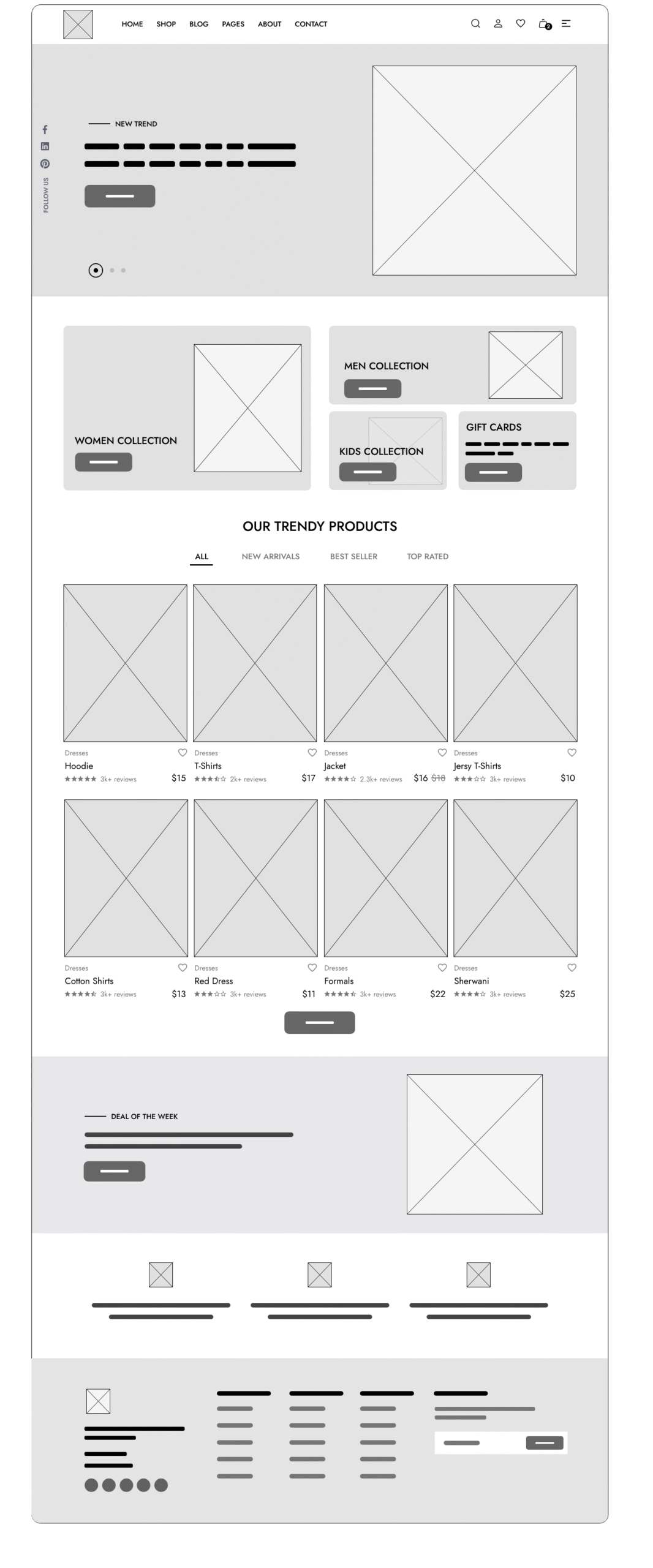
- Prototyping and wireframing tools—Figma, Sketch, and InVision enable the rapid creation of design concepts and testing of various solutions.
- Survey and feedback tools – Qualtrics, Typeform, and UserVoice allow you to gather direct feedback from users about their product experiences.
- A/B testing tools—Optimizely, Google Optimize, and VWO—allow you to compare different versions of a page or feature to determine which solutions work best.
The choice of specific tools depends on the audit’s objectives, the size and complexity of the product, and your business needs.
Services Included in the UX Audit

Business Analysis
Expert experience and user research data form the basis for evaluating the website to provide practical and effective recommendations that improve usability and conversion rates.

Heuristic Analysis
We evaluate the interface against established usability principles, assessing user behavior, overall experience, and visual design to identify opportunities for improvement.

User Journey
We walk through sample user scenarios step by step to assess how easily they complete an order and where they encounter problems when interacting with the site.

Checklist
We use checklists to audit the website’s functionality and elements, evaluating each point and suggesting changes based on best practices and examples from competitors.
UX Audit: Why is it worth conducting?
Higher conversion rate
A UX audit helps identify barriers that discourage users from making a purchase, registering, or contacting the company. The implemented improvements increase the number of people taking the desired actions, such as adding items to the cart or submitting a contact form.
Increased customer loyalty
A positive experience is built by an intuitive and user-friendly website that makes it easier to achieve goals and encourages customers to return, recommend the company to others, and stay longer.
Competitive advantage
The store becomes more attractive, functional, and modern thanks to improved UX, which allows it to stand out from the crowd and attract new customers.
Identify sales issues
We thoroughly analyze the user experience at every stage of the purchase journey. Our goal is to identify barriers that hinder conversions and impact sales results. We’ll pinpoint specific areas for improvement, from the site layout and the purchase process to messaging and CTAs.
Understanding customer needs
A UX/UI audit enables a better understanding of user behavior, needs, and expectations, as well as how they align with market demands.
Increasing customer satisfaction
Greater satisfaction, higher loyalty, and positive reviews that support brand growth and credibility—these are the results of improving the user experience.
Clear layout and better design
A well-designed interface and a consistent user experience help customers find products more easily, complete purchases more efficiently, and encourage repeat visits. As a result, you can make more informed design decisions and create solutions that better align with your audience’s expectations.
Increased efficiency
During the audit, we identify areas where the user experience is hindered, which can lead to customer loss or a drop in conversion rates. With our recommendations, you’ll optimize processes, simplify purchase paths, and boost the effectiveness of your online activities, translating better user experiences into real sales growth.
What does the UX Audit process look like?

Data collection
We gather information from analytics tools to understand user behavior and how they use the website. We also collect business requirements and gain access to the necessary analytics tools.

Conducting the UX Audit
We examine every element of the website to identify barriers that prevent users from achieving their goals and conversions. We conduct user research with a representative group and prepare a document summarizing the findings and recommendations.

Recommendations and Results
During this stage, we discuss the main issues and how to resolve them, and we present proposed recommendations for changes (optional) along with a visualization of the concept for the change or interface adjustment.
What does a store UX audit include?

Content architecture and usability
 Information architecture audit – we check how information is organized on the site so that users can quickly and intuitively find what they are looking for.
Content UX Audit – we evaluate the clarity and comprehensibility of the content layout, ease of navigation, and users’ purchasing decisions.
Analysis of the website’s layout and design – we check the layout’s functionality, color scheme, typography, and responsiveness to ensure the site is visually appealing and aesthetically pleasing.

User conversion path analysis
Conversion path analysis – we examine the process from entering the site to completing an action, identifying flawed steps.
Session recording analysis – we observe actual user behavior to understand where problems occur.
Form analysis – we review fields, labels, validation, and data submission to improve lead generation and sales effectiveness.
CTA analysis – we optimize buttons and calls to action in terms of visibility, content, and design.

Performance testing and optimization
Load speed audit – we identify elements that slow down the site and optimize code, images, and scripts to prevent users from leaving the site.
Mobile audit – we check responsiveness, interactivity, and feature availability on smartphones and tablets.
Technology audit – we analyze the CMS, hosting, front-end, back-end, and integrations to ensure the site is fast, secure, and scalable.

Summary and proposed solutions
UX mockup design – we create clear mockups that illustrate the site’s logic and structure. With their help, you can easily see how users will navigate the site.
UI design implementation – we translate functionality into attractive graphic design. We ensure the interface is aesthetically pleasing, intuitive, and consistent with the brand’s visual identity.
Visualization of improvements – this involves defining actions, i.e., recommendations that clearly outline the next steps needed to improve the user experience.
What does a UX audit include?
 User testing
User journey analysis
Web analytics
A/B testing
Focus groups
Individual interviews
Heat mapping
Competitor analysis
Analysis on selected devices
Purchase process analysis
Homepage analysis
Product category analysis
Product page analysis
Search engine analysis
User account analysis
CTA (Call-to-Action) analysis
Status email analysis
Page Speed Analysis
Landing page analysis
Blog analysis
Google Analytics Analysis
User behavior analysis
Visual identity consistency analysis
Post-analysis report
Post-UX Audit Meeting
SMART UX AUDIT
Business analysis
GA data analysis
Heuristic analysis
Recommendation Report
2,900 PLN
One-time service
ECOMMERCE UX AUDIT
 Business analysis
GA data analysis
Heuristic analysis
Competitor analysis
Heatmap and session recording analysis
Recommendation report
Mockups
5,900 PLN
One-time service
UX AUDIT CONVERSIONS
Business analysis
GA
configuration audit (and any necessary corrections)
GA data analysis
Heuristic analysis
Competitor analysis
Survey research
Usability testing
Heatmap and session recording analysis
Recommendation report
Mockups
Graphics (.psd)
12,900 PLN
One-time service
Benefits of a store UX audit

Clarity and ease of navigation
An intuitive and user-friendly online store encourages customers to return. A UX audit helps identify and eliminate barriers that may frustrate visitors, making the shopping experience faster, smoother, and more enjoyable.

Improved online store functionality
The “Recommended Products” and “Best Sellers” sections make it easier to find the most popular products. This simplifies the shopping experience and increases the chance of additional sales.

More sales conversions
A UX audit helps identify the reasons why users abandon their carts or fail to complete transactions, and suggests solutions that help reduce advertising costs.

Saving time and customer service costs
Unclear processes in the store often lead to frequent questions or complaints. A UX audit helps eliminate issues that generate additional support requests, saving your team time and resources.
Start growing your store with SEO
Effective SEO increases visibility on Google, attracts more customers, and boosts sales. By working with us, you gain a partner who specializes in e-commerce and focuses on real results.

Client Testimonials
Dozens of online stores across various industries—from fashion to electronics—have placed their trust in us. Thanks to our efforts, they’ve achieved better search engine rankings, increased traffic, and real sales growth.

Case studies and success stories
You can read a detailed analysis of real results in our case studies—we show how we helped stores increase their visibility by up to 300% in just a few months. Each case is proof that well-planned SEO works.
They trust us
Our partners include online store owners, marketing departments, partner companies, as well as small and medium-sized enterprises, startups, and individual entrepreneurs.
Why should you use the Online Store UX Audit service?
Low sales, poor conversion rates, or few leads in your store are most likely caused by barriers in the purchase journey that visitors encounter. A UX audit allows you to identify these issues and pinpoint specific actions to improve the user experience. With the help of user journey analysis and session recordings, it is possible to eliminate shopping barriers and streamline navigation. A professional audit also helps optimize forms, CTAs, and content to make them clearer and more engaging. Additionally, a UX audit improves the customer experience on mobile devices and speeds up page loading, which translates to higher user satisfaction and greater loyalty.
A UX audit also offers an opportunity to stand out from the competition. Improving information architecture, website aesthetics, and visual consistency makes the site more intuitive and attractive. As a result, users find the information they need faster, which increases engagement and the likelihood of return visits. As a result, a well-conducted UX audit not only supports sales but also builds a positive brand image and long-term relationships with customers.
Heuristic analysis
Heuristic analysis involves checking whether a design adheres to specific principles and best practices, known as heuristics. These are universal guidelines that help create user-friendly, intuitive, and effective interfaces. UX audits most commonly use the 10 heuristics proposed by Jakob Nielsen:
- Show system status – inform the user about what is happening in the system.
- Make it realistic – design the interface to match the user’s expectations.
- Give the user full control – allow users to undo actions and make easy corrections.
- Adhere to standards and consistency – use consistent elements and terminology.
- Prevent errors – minimize the possibility of mistakes.
- Show, don’t make them remember – information and options should be visible and easily accessible at any given moment
- Maintain flexibility and efficiency – allow both beginners and advanced users to work efficiently.
- Prioritize aesthetics and restraint – avoid clutter and maintain clarity.
- Provide effective error handling—error messages should be clear and helpful.
- Provide help and documentation – offer users support when needed.
With this analysis, you can quickly identify key UX issues and implement improvements that significantly enhance the user experience.
Travis’s Checklist
Travis’s checklist contains 247 questions covering, among other things, the usability of the homepage, navigation, layout, ergonomics, graphic design, forms, news, and content quality. However, some questions can be imprecise or too general—for example, what exactly does it mean for a site to be “professionally designed”?
User Journey
Simulating user behavior on a website or in an app is known as a usability test. Tasks are performed by experts or real users, step by step, as they comment on their experiences, expectations, and any difficulties encountered. This helps uncover hidden problems and shortcomings in the UX that are hard to spot during a standard analysis.
Competitor analysis
It’s worth examining how competitor websites and stores that attract a similar customer base operate. This analysis helps identify their strengths and weaknesses and provides inspiration for improving the UX on your site. We compare, among other things, design, navigation, content, and available features to ensure that your store meets industry standards and user expectations.
User interviews
Individual or group conversations about users’ experiences and opinions are known as user interviews. They help us understand their perspective, uncover hidden needs, and identify problems encountered while using the site. Interviews provide invaluable insights that are difficult to obtain from quantitative analysis alone.
Heatmaps and session recordings
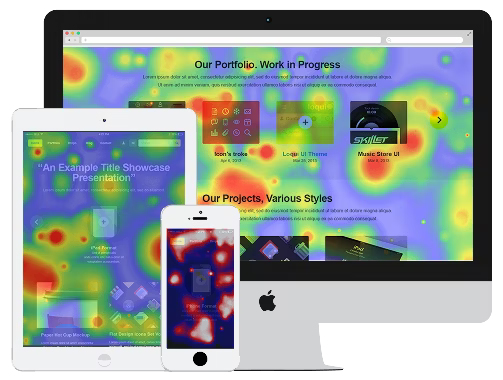
Heatmaps and eye-tracking methods reveal which website elements attract the most user attention and which are overlooked. Session recordings allow you to replay user paths and their interactions with the site. Research of this type is conducted using tools such as Hotjar or Crazy Egg, providing invaluable data for UX optimization.
Frequently Asked Questions About UX Audits
What is a UX audit?
A UX audit is an analysis of a website or online store’s usability aimed at understanding user behavior, identifying problems, and suggesting ways to improve the user experience.
Why is it worth conducting a UX audit?
A UX audit enables you to increase conversions, improve the user experience, build customer loyalty, and stand out from the competition.
How does a UX audit differ from an SEO audit?
User experience and website functionality are the areas a UX audit focuses on, while an SEO audit focuses on search engine rankings and improving visibility in search results.
What issues can be identified through a UX audit?
Low conversion rates, navigation difficulties, poorly designed forms, unclear content, responsiveness issues, or slow page loading—these are examples of problems that a UX audit can identify.
How long does a UX audit take?
The complexity of the website and the scope of the analysis determine the duration of the audit. A basic audit usually takes 10 business days to 2 weeks, while more comprehensive analyses can take 3 to 5 weeks.
Will I receive a report with the audit results?
You will receive a detailed report with conclusions and recommendations for implementation upon completion of the audit. The document also includes a prioritization of changes, which facilitates planning the next optimization steps.