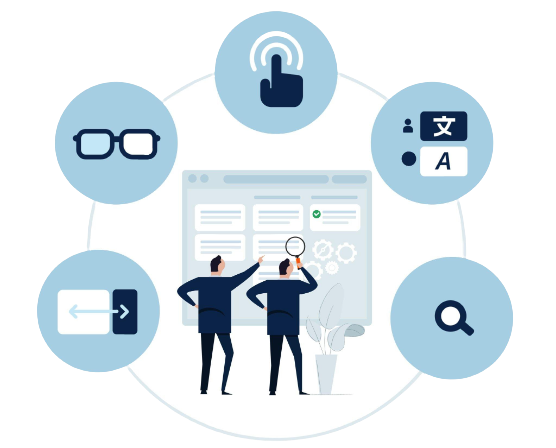
WCAG Digital Accessibility Audit of the Online Store Website
Compliance with WCAG 2.2 (Web Content Accessibility Guidelines) and the EAA (European Accessibility Act) is not only a legal requirement but, above all, an opportunity to reach a wider audience. By making your website or online store easier to use for people with disabilities, those using mobile devices, or those with slower internet connections, you enhance the experience for all users. Conducting an accessibility audit helps identify technical and design barriers that hinder the shopping experience and then suggests specific solutions. As a result, your store becomes more intuitive, user-friendly, and accessible to every customer, which translates into higher satisfaction and better sales results.



Website Audit
We verify that your website functions correctly on various devices and browsers, ensuring it is user-friendly and accessible to people with disabilities.

Online Store Audit
We analyze the entire purchasing process—from registration and login to transaction completion—on both desktop computers and mobile devices.

Mobile and web app audit
We conduct tests of apps on iOS, Android, and Windows to confirm their intuitiveness, functionality, and full accessibility for every user.
WCAG Implementation
Based on the audit report, we implement the necessary corrections so that your website, app, or store meets digital accessibility requirements.
What is a WCAG audit and why is it important?
Analyzing a website or online store as part of a WCAG audit also involves understanding how people with diverse needs use your site. We conduct each audit individually, tailoring our approach to the specifics of the project to deliver realistic and practical solutions.
 Identification of barriers—identifying elements that make it difficult for people with disabilities to use the website or online store.
Practical report and recommendations—you will receive a summary report highlighting all points and elements that comply with the standard.
Legal compliance – meeting the requirements of WCAG 2.1/2.2 and the European Accessibility Act (EAA).
Broader customer reach – reaching new customers, including people with disabilities, the visually impaired, the deaf and hard of hearing, and seniors.
Certificate of compliance – upon completion of the audit, you will receive a certificate confirming the product’s compliance with the WCAG standard.
Stronger brand image – demonstrating that you care about all users and operate a responsible business.


Full WCAG digital accessibility for your online store
The primary goal of implementing WCAG standards is to ensure that websites are accessible and easy to use for people with disabilities, including individuals who are blind or visually impaired, deaf or hard of hearing, have motor impairments, cognitive disabilities, or other accessibility needs.
High color contrast: Ensures better visibility of elements and a more comfortable user experience for people with visual impairments.
Screen reader compatibility: Content is correctly read by assistive technologies, ensuring full accessibility of the site, e.g., for blind users.
Keyboard-only navigation: The website functions without the need for a mouse, making it easier for blind users to navigate.
Easy navigation: Intuitive menus and a logical layout of elements ensure that every user can quickly and easily find the information they need.
Alternative text for images: Image descriptions allow screen reader users to understand visual content as well.
Adjustable text size: Users can adjust the font size to their needs, which improves reading comfort for people with low vision.
Common mistakes in WCAG implementations
Practical knowledge of web technologies, UX, and accessibility tools—not just familiarity with regulations—is essential for adapting a website to WCAG requirements.
The most common issues include:
lack of captions for video content and audio transcripts.
incorrect labels for buttons, links, and attachments,
errors in the heading hierarchy (h1–h6),
missing ARIA labels in forms,
unreadable error messages, e.g., when filling out an order form,
Insufficient color contrast, especially in UI elements,
limited or no keyboard support, lack of a focus indicator,
issues with screen readers (NVDA, JAWS, VoiceOver),
lack of alternative text (alt) for graphics and icons,

How much does WCAG implementation cost, and what determines the price?
The size and complexity of the website are the main factors influencing the cost of adapting a website or application to WCAG requirements.
The cost is influenced by, among other things:
- the size and complexity of the website (corporate website vs. a large e-commerce store),
- the number and severity of errors detected in the audit,
- the technology used (CMS, custom backend, mobile apps),
- multimedia content (captions, transcripts, audio descriptions),
- the quality of the existing code and frontend layer.
For example: simple implementations can be completed in a few weeks, while more complex websites require more specialized work.
Key WCAG 2.2 accessibility guidelines
Perceivability
Alternative descriptions for non-text elements, such as images or graphics, are essential so that every user can understand their content.
Functionality
Accessibility of all interactive elements via the keyboard allows people with mobility impairments to use the site freely.
Comprehensibility
Simplicity in content and interface perception—readability, intuitiveness, and a design that facilitates navigation on the site—are key elements of accessibility.

Reliability
Correct functioning of the WCAG-compliant website across various browsers, operating systems, and assistive technologies is guaranteed.
Scope of the WCAG Digital Accessibility Audit
 Comprehensive website analysis
We conduct a full website audit, covering both technical and user experience aspects, depending on the selected package.
WCAG technical validation
The specialist we engage checks the correctness of the website’s implementation and code based on WCAG guidelines, eliminating technical issues.
Automated testing
A manual verification of the website is performed by an accessibility expert, who checks practical aspects of using the site that automated tools cannot detect.
Manual testing with a WCAG expert
We test the website’s performance on various types of devices to ensure it is accessible and user-friendly on both computers and smartphones.
Tests on mobile and desktop devices
The professional automated accessibility analysis tools we use allow us to quickly detect common technical errors and issues with the website’s code.
Verification on various operating systems
The audit includes testing on the most popular systems (iOS, Android, Windows), ensuring accessibility for all users, regardless of platform.
What does a website audit include?
A detailed analysis of a website or online store for compliance with WCAG 2.2 Level AA accessibility requirements is a WCAG audit. The report identifies errors, violations, and areas requiring improvement, along with practical recommendations.
During the audit, we check, among other things:
- Navigation – accessibility of all interactive elements via the keyboard.
- Appearance – the ability to adjust color contrast, readability, and content scalability.
- Forms – correctness of fields, labels, and user messages.
- Multimedia – availability of captions and audio descriptions for videos.
- Content structure – logical content structure, with lists, subpoints, and headings used hierarchically.
- Links and attachments – clear links whose text explicitly states where they lead.
- Alternative text – every image conveying content should include alternative text describing its content.
- Headings (H1-H6) – headings must be used according to their function and in a logical hierarchy.
- Downloadable documents – PDF, Word, Excel, and other files should also be created with accessibility guidelines in mind.
- Source code (HTML) – must be semantically correct so that assistive technologies (e.g., screen readers) can render it correctly.
Why should you implement WCAG 2.2 for your online store?
The key benefits of implementing WCAG 2.2 include increased accessibility of digital content for people with a wide range of disabilities, improved usability for all users, support for legal compliance, and a stronger, more inclusive brand image.

Increased reach and accessibility
Reaching a larger audience by making the website accessible to people with disabilities allows you to increase the site’s reach and popularity.

Meet legal and regulatory requirements
Failure to comply may result in fines or penalties; it may also lead to a loss of users, damage to the organization’s image, and restricted access to public services or government contracts.

Improving image and reputation
Increased engagement by reaching a wider audience can result from ensuring website accessibility for people with disabilities. This also builds a positive brand image as one that is open to the needs of all users.

Better mobile experience
Convenient and fast navigation, a better user experience, and increased content accessibility regardless of the type of smartphone or tablet are the results of optimizing websites and apps for mobile devices.

Removing digital barriers
The digital accessibility requirements defined by the WCAG 2.1 guidelines help improve access for people with disabilities, including individuals who are blind or visually impaired, deaf or hard of hearing, or have mobility impairments. Implementing WCAG 2.2 standards further enhances usability and helps ensure that digital services are accessible and easy to use for all users.

Increasing visibility in search engines
The WCAG 2.2 standard includes many guidelines for search engine optimization (SEO), such as using correct HTML tags, describing images and other media, and using simple and easy-to-understand content. Improving these elements will positively impact SEO and lead to better search engine rankings.
What are the consequences of non-compliance with the EAA (European Accessibility Act) under WCAG 2.2?
The provisions of the Act of April 26, 2024, on ensuring the accessibility of selected products and services entered into force on June 28, 2025. Its purpose is to ensure that key online services and websites are accessible to all users, including people with disabilities. Compliance with these guidelines is a legal obligation, primarily affecting public institutions and private entities with more than 10 employees that provide online services—such as online stores, e-commerce platforms, online banking, reservation systems, and mobile apps—and ignoring them poses a real risk to your business.
Beware of the consequences!
Failing to comply with the requirements of the European Accessibility Act can expose businesses to significant legal and reputational risks. Inadequate digital accessibility may result in compliance issues, reduced user trust, and potential financial consequences.
 Fines and sanctions—administrative penalties and financial consequences of up to 10% of a company’s turnover may result from violations of the regulations.
User’s right to file a complaint—any user reporting a lack of accessibility to a supervisory authority (e.g., PFRON) triggers an official inspection procedure against the website owner.
Order to rectify immediately – prompt adaptation of the website requires an administrative decision, which in practice means urgent action on the part of the company.
Loss of customers and trust – discouraging people with disabilities and their communities, as well as a negative impact on the company’s image in the eyes of other consumers, can result from a lack of accessibility.
Legal proceedings—civil lawsuits from users alleging unequal treatment or discrimination pose a real risk.
Market exclusion – the loss of opportunities to collaborate with companies requiring ESG compliance and exclusion from public tenders threaten companies that fail to meet accessibility requirements.

Legal proceedings and claims
Complaints and even lawsuits against companies whose websites are inaccessible and do not meet accessibility standards may be filed by foundations and associations working on behalf of people with disabilities, as well as individual users. The consequences include high costs, the risk of damages, and forced compliance with WCAG 2.2.

Financial consequences and enforcement procedures
Monitoring compliance with WCAG 2.2 guidelines within the European Union is the responsibility of the relevant national authorities. Violations may result in the initiation of administrative proceedings and the imposition of significant financial penalties, the amount of which depends on the regulations in force in the given country and the severity of the violations.

Loss of potential customers and revenue
A significant portion of the population consists of people with various disabilities, older adults, and users of assistive technologies. By making it difficult for them to access your online services and products, you are consciously reducing your market potential and losing the opportunity to increase revenue.

Limited participation in tenders
Public institutions and large enterprises are increasingly making WCAG compliance a prerequisite for working with suppliers. Failure to meet these standards may result in your company being excluded from participating in projects and tenders.
What does a professional WCAG audit include?
 Verification of compliance with WCAG 2.1 / 2.2
Adjustment of A and AA criteria
Checking and correcting contrast
Visible focus indicator
Browsing using a screen reader
Keyboard navigation tests
High-contrast version of the page
Text-to-speech for the entire page
Basic error report
Accessibility statement
Manual testing
Tests on desktop and mobile devices
Automated testing
Validation testing
Final report with recommendations
Bug fixes
HTML sitemap
Accessibility statement
Shopping cart testing
Customer account creation testing
Compliance with the European Accessibility Act (EAA)
WCAG compliance certificate with the Act
Detailed verification of compliance with WCAG 2.1 and 2.2 standards
Implementation of appropriate ARIA labels, headings, and code correctness
Identification of barriers in user flows.
Keyboard navigation optimization
Detailed report with specific recommendations.
Verification of the correctness of the implemented solutions.
Verification of functionality on screen readers (NVDA, JAWS, VoiceOver),
WCAG 2.2 SMART AUDIT
Automated testing
Verification of WCAG errors
Accessibility Statement
Quick turnaround
1-day implementation
500 PLN
One-time service
WCAG 2.2 AUDIT START
Automated and manual audit
WCAG compliance assessment
Detection of the most significant barriers
Summary report
Accessibility statement
Implementation: 2–3 weeks
2,500 PLN
One-time service
WCAG 2.2 STANDARD AUDIT
 Automated and manual audit
WCAG compliance assessment
Identification of the most significant barriers
Summary report
Accessibility Statement
Implementation: 2–3 weeks
4,500 PLN
One-time service
WCAG 2.2 PREMIUM AUDIT
Automated and manual audit
WCAG compliance assessment
Identification of the most significant barriers
Summary report
Accessibility statement
Implementation: 2–3 weeks
6,500 PLN
One-time service
Stages of accessibility implementation

Digital Accessibility Assessment
We conduct a comprehensive evaluation of your website at the outset, identifying its strengths and areas requiring adjustments in terms of digital accessibility.

Technical modifications to the website
Our technical team optimizes the code structure, implements appropriate solutions, adds alternative text for graphic elements, and ensures full keyboard navigation.

Adding accessibility tools
An intuitive panel with features that users can customize according to their own perceptual needs will be installed on the website.

Testing and optimization
Comprehensive testing—both automated and manual—to verify the correctness of all implemented solutions is part of the final stage. We test accessibility from the perspective of real users.

Accessibility Report
We prepare a detailed accessibility report compliant with required standards, summarizing all implemented accessibility improvements for visually impaired or disabled users, upon completion.
Start growing your online store
Effective SEO allows you to increase visibility on Google, attract more customers, and boost sales. By working with us, you gain a partner who specializes in e-commerce and focuses on real results.

Client Testimonials
Dozens of online stores across various industries—from fashion to electronics—have placed their trust in us. Thanks to our efforts, they’ve achieved better search engine rankings, increased traffic, and real sales growth.

Case studies and success stories
You can read a detailed analysis of real results in our case studies—we show how we helped stores increase their visibility by up to 300% in just a few months. Each case is proof that well-planned SEO works.
They trust us
Online store owners, marketing departments, partner companies, as well as small and medium-sized enterprises, startups, and individual entrepreneurs are our partners.
Why is it important to ensure compliance with WCAG?
Equal access to online content and services for all users—not just a matter of technology—is what WCAG compliance is all about. By adapting your online store or website to WCAG guidelines, you ensure a comfortable user experience for people with disabilities, older users, and customers using various devices and browsers. A better user experience (UX) and greater trust in your brand are the results of this investment.
Compliance with WCAG also brings tangible business benefits. More potential customers and higher conversion rates mean a store accessible to everyone, while simultaneously protecting your company from the legal consequences of digital inaccessibility. By fostering the image of a responsible brand through adherence to WCAG standards, you also gain a competitive edge in the market.
List of WCAG 2.2 Success Criteria
1.1 Non-text content
1.1.1 Non-text content – Alternative text for images, icons, charts, etc.
1.2 Multimedia
1.2.1 Audio-only or video-only (recordings) – text alternative for audio or video recordings (Level A).
1.2.2 Captions (recordings) – captions for video recordings with sound (Level A).
1.2.3 Audio description or media alternative (recordings) – audio description or text alternative for video recordings (Level A).
1.2.4 Captions (live) – captions for live broadcasts (Level AA).
1.2.5 Audio description (recordings) – audio description for video recordings (Level AA).
1.2.6 Sign language (recordings) – sign language interpretation (Level AAA).
1.2.7 Extended audio description (recordings) – extended audio description (Level AAA).
1.2.8 Text alternative for media (recordings) – full text alternative for video recordings (Level AAA).
1.2.9 Audio-only (live) – text alternative for live audio broadcasts (Level AAA).
1.3 Content Structure
1.3.1 Information and reports – semantic structure (headings, lists, tables, forms) (Level A).
1.3.2 Meaningful sequence – content in logical order (Level A).
1.3.3 Sensory characteristics – instructions not limited to visual cues (e.g., “red button”) (Level A).
1.3.4 Orientation – the page functions in both portrait and landscape orientations (Level AA).
1.3.5 Field purpose identification – form fields have appropriate autocomplete attributes (Level AA).
1.3.6 Purpose identification – identification of the purpose of all interface elements (e.g., menus, icons) (Level AAA).
1.4 Content Visibility
1.4.1 Use of color – information is not conveyed solely through color (Level A).
1.4.2 Sound control – the ability to stop or mute automatically played sound (Level A).
1.4.3 Contrast (minimum) – the minimum text contrast is 4.5:1 (Level AA).
1.4.4 Text resizing – the ability to enlarge text up to 200% without losing functionality (Level AA).
1.4.5 Images containing text – we do not use images with text (except for logos) (Level AA).
1.4.6 Contrast (advanced) – text contrast is at least 7:1 (Level AAA).
1.4.7 Low/no background sound – background sound does not interfere with speech perception (Level AAA).
1.4.8 Visual presentation – the user can adjust line spacing, column width, etc. (Level AAA).
1.4.9 Text images (no exceptions) – we do not use images containing text under any circumstances (Level AAA).
1.4.10 Reflow (responsiveness) – the page functions without requiring horizontal scrolling when zoomed to 400% (Level AA).
1.4.11 Contrast of non-text elements – the minimum contrast of graphical interface elements is 3:1 (Level AA).
1.4.12 Text spacing – the ability to increase spacing between characters, lines, and paragraphs without losing readability (Level AA).
1.4.13 Hover/focus content – content that appears on hover or focus must be accessible and readable (Level AA).
2.1 Keyboard Accessibility
2.1.1 Keyboard – everything must be accessible via the keyboard (Level A).
2.1.2 No keyboard traps – the user can exit any element using the keyboard (Level A).
2.1.3 Keyboard (no exceptions) – all functions are accessible via the keyboard, with no exceptions (Level AAA).
2.1.4 Keyboard shortcuts – the ability to disable or change single-key shortcuts (Level A).
2.2 Time and Control
2.2.1 Time control – the ability to extend, pause, or disable time limits (Level A).
2.2.2 Pause, stop, hide – the ability to pause animations, carousels, and moving elements (Level A).
2.2.3 No time limits – no time limits that affect the user (Level AAA).
2.2.4 No interruptions – no unexpected interruptions in the operation of the website or application (Level AAA).
2.2.5 Re-authentication – user data is not lost after re-logging in (Level AAA).
2.2.6 Timeouts – the user is informed about time limits and their duration (AA level).
2.3 Flickering and animations
2.3.1 Three flashes or fewer – no content that flashes more than 3 times per second (Level A).
2.3.2 No flashing – no flashing content whatsoever (Level AAA).
2.3.3 Post-interaction animations – the user has the option to disable animations triggered by interaction (Level AAA).
2.4 Navigation and orientation
2.4.1 Skipping blocks – a “Skip to content” link allowing users to skip repetitive elements (Level A).
2.4.2 Page title – each page has a unique and descriptive title (Level A).
2.4.3 Focus Order – keyboard navigation follows a logical order (Level A).
2.4.4 Link Target (Contextual) – the target of each link is understandable from the context (Level A).
2.4.5 Multiple ways – there is more than one way to find a page (e.g., search, site map, menu) (Level AA).
2.4.6 Headings and labels – headings and labels are clear and descriptive (Level AA).
2.4.7 Visible focus – the keyboard focus is always visible (Level AA).
2.4.8 Location – the user knows where they are on the page (e.g., “you are here”) (Level AAA).
2.4.9 Link destination (text-only) – the destination of every link is clear without the need for context (Level AAA).
2.4.10 Section headings – content sections are clearly marked with headings (Level AAA).
2.5 Gesture Support and Motion Control
2.5.1 Pointing gestures – do not require complex gestures (Level A).
2.5.2 Canceling a pointer – the ability to cancel an action triggered by a pointer (Level A).
2.5.3 Label in name – the programmatic name must be the same as the visible label (Level A).
2.5.4 Motion control – motion-activated functions have available alternatives (Level AA).
2.5.5 Target size – the minimum size of interactive elements is 44×44 px (Level AA).
2.5.6 Simultaneous input mechanisms – do not limit data entry methods (Level AAA).
3.1 Language and Readability
3.1.1 Site language – the site has a primary language set (Level A).
3.1.2 Language of sections – language changes in the content are appropriately marked (Level A).
3.1.3 Uncommon words – difficult or rare words are explained (Level AAA).
3.1.4 Abbreviations – abbreviations are explained upon first use (Level AAA).
3.1.5 Reading level – the text is understandable to a person with at least a 9th-grade education (Level AAA).
3.1.6 Pronunciation – words that are difficult to pronounce are explained (Level AAA).
3.2 Stability and Consistency
3.2.1 On Focus – the element does not change when focus is received (Level A).
3.2.2 On Input – the element does not change unexpectedly after data is entered (Level A).
3.2.3 Consistent Navigation – the menu is consistent across all pages (Level AA).
3.2.4 Consistent identification – consistency of icons, buttons, and other interface elements (Level AA).
3.2.5 Change on demand – changes to content or the interface occur only at the user’s request (Level AAA).
3.3 Help and Error Handling
3.3.1 Error identification – clear indication of errors in forms (Level A).
3.3.2 Labels or instructions – clear instructions and labels next to form fields (Level A).
3.3.3 Error correction suggestions – suggestions for corrections when errors are detected (Level AA).
3.3.4 Error prevention (sensitive data) – prevention of errors when entering financial and legal data (Level AA).
3.3.5 Help – available help and user instructions (Level AAA).
3.3.6 Error prevention (all) – error prevention in all forms (Level AAA).
4.1 Technical Compatibility
4.1.1 Code Validity – the website’s code complies with the specification (Level A).
4.1.2 Name, Role, Value – interface elements have correctly defined names, roles, and values (Level A).
4.1.3 Status Messages – application status messages are available to screen readers (Level AA).
What are the WCAG conformance levels?
WCAG defines three levels of compliance that allow you to assess how accessible your website is:
Level A – This is the basic level of accessibility, meeting the minimum requirements. From our experience, we know that achieving this level is the absolute minimum for any website.
Level AA – This level balances accessibility with practicality of implementation. Most companies and organizations aim for this level because it ensures good accessibility while remaining a realistic goal.
Level AAA – This is the highest level of compliance, ensuring maximum accessibility. It is difficult to achieve for an entire website, but can be a goal for key features.
Frequently Asked Questions and Answers About WCAG Accessibility
What is WCAG?
WCAG (Web Content Accessibility Guidelines) – international guidelines for creating websites and online stores in a way that makes them accessible to all users, including people with disabilities.
Why is WCAG compliance important?
Equal opportunities for every user to use the site, a better user experience (UX), an increased number of customers, and minimized legal risks associated with a lack of digital accessibility—these are the main reasons why it’s worth implementing WCAG.
Is WCAG compliance mandatory?
The legal requirement for WCAG compliance in Poland applies to public institutions, while for online businesses it is increasingly becoming an expected market standard that impacts competitiveness and brand reputation.
What business benefits does digital accessibility offer?
A larger audience, better sales results, and higher rankings on Google—this is what a WCAG-compliant website delivers, as Google rewards user-friendly sites.
How does a WCAG audit work?
The audit includes automated, manual, and practical tests (including those involving people with disabilities), which help identify barriers and suggest specific solutions to improve the website’s accessibility.
Can any website be made WCAG-compliant?
Regardless of the technology, industry, or size of the website, every site can be improved in terms of accessibility. Often, even simple changes significantly improve the user experience.